Find Bookstores is a search tool in Featured's chat that returns U.S. independent bookstores that host author events, searchable by state, city or genre. Each result links to the store's website or events page and shows its email when the store publishes one.
This guide walks through planning a tour from the first search to the sent pitch, including where to look when Featured has no email on file for a store. Free to start. No credit card.
Key points
- Find Bookstores covers 1,093 independent bookstores in all 50 states and the District of Columbia.
- Featured links 61.5% of those stores straight to an events or calendar page and has an email on file for 38.6%.
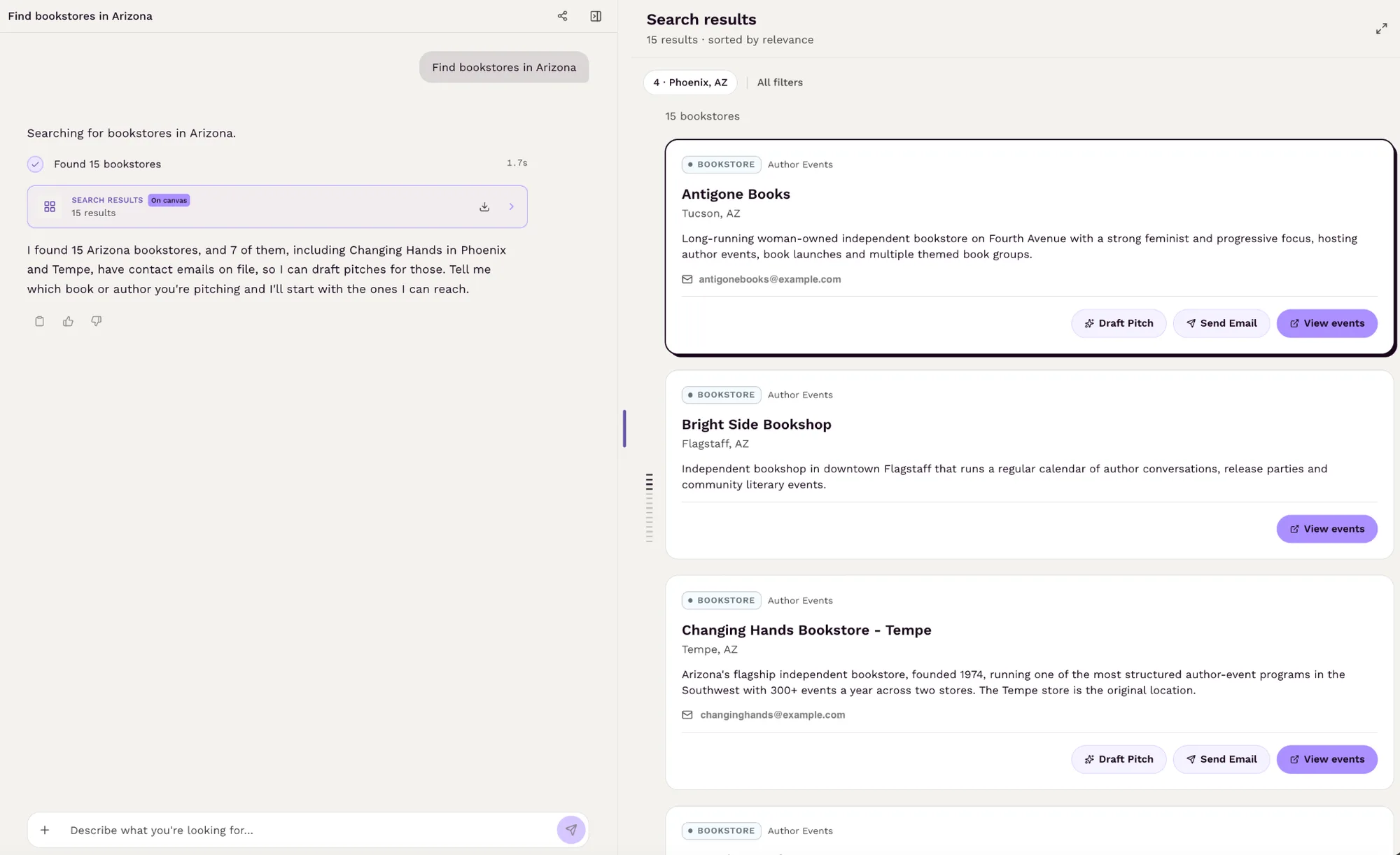
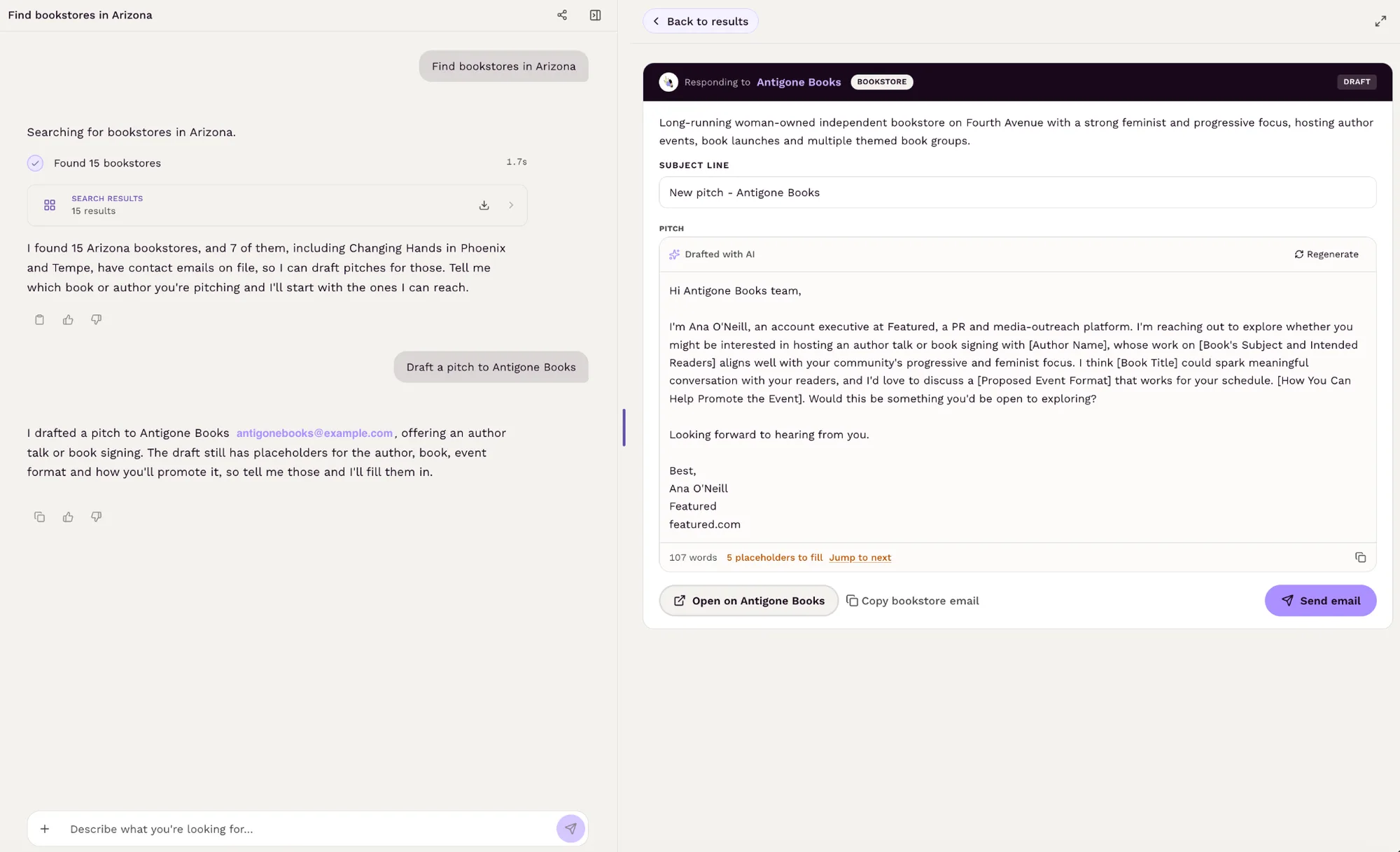
- A search for Arizona returned 15 stores, 7 of them with an email on file.
- Bookstore calendars fill two to three months out, so pitch early and keep the pitch under 200 words.
Step 1: Tell Featured where, or what, you want
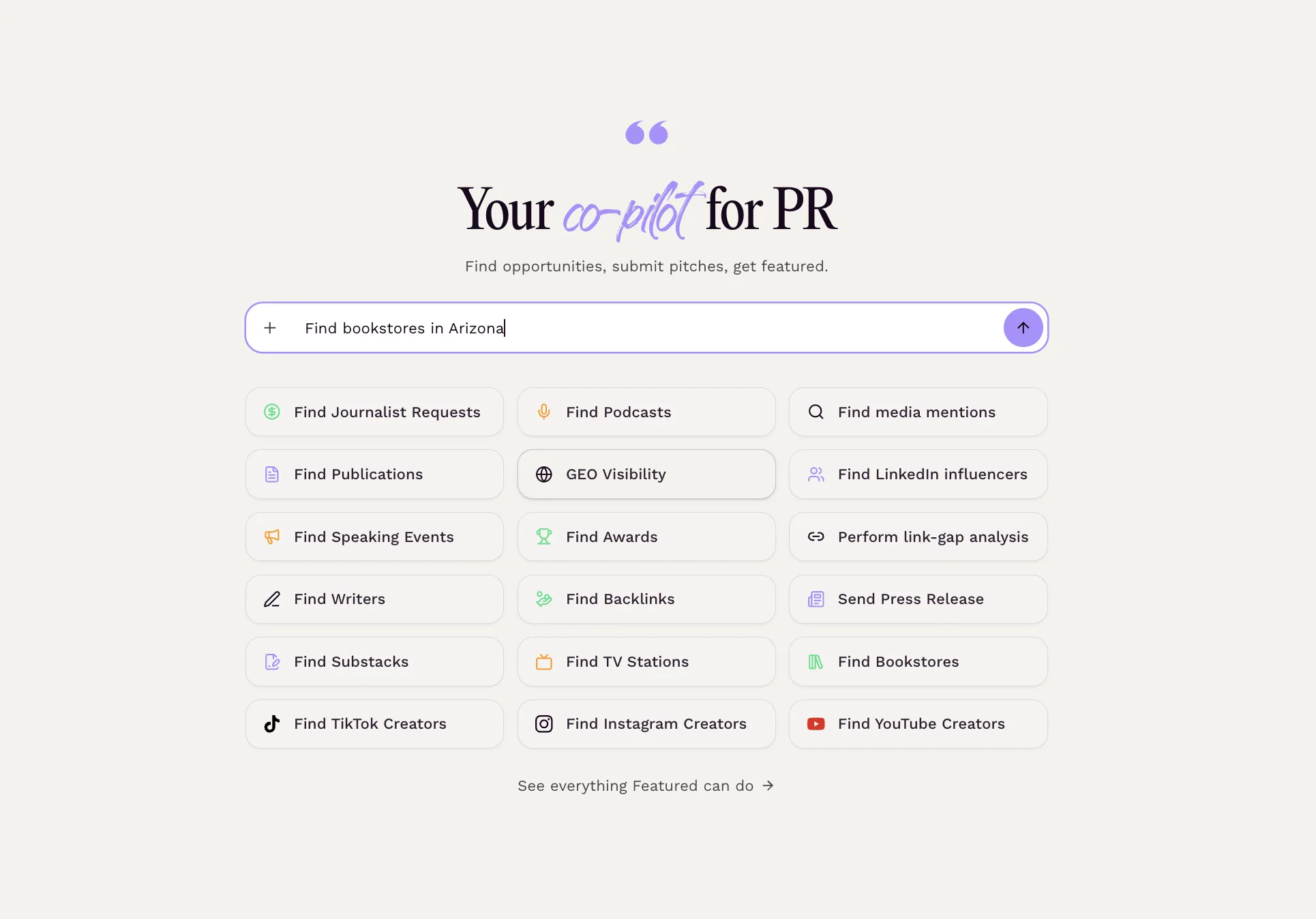
Go to featured.com and open the chat. This is the same conversational interface you use to ask Featured for help with pitches and placements.
Find Bookstores searches by place and by subject. A state, a city, a genre or an event type all work. Requests that work well:
- "Find bookstores in Arizona."
- "Bookstores in Texas that host author signings."
- "Mystery bookstores in Detroit."
- "Children's bookstores in Boston for a picture-book reading."
Use a state when you are planning a tour and want to see the stores across a region together. Use a city when the event is tied to one place. Add a genre when the book has a clear one, since many stores describe a specialty. Featured does not search by neighborhood or radius, and it will not widen a city to the towns around it, so name the city you mean, or the state.
Step 2: Review the bookstore results
Featured returns the stores that match. Each result shows:
- The store's name and its city and state.
- A short description of what the store is known for: its specialties, its programming, and details such as a cafe, a book club or a local authors shelf.
- A link to the store's website, usually its events or calendar page.
- An email address when Featured has one on file, with a prompt to send an email. When there is no email, the result links to the store's site so you can find the booking form or the right contact.
Across the 1,093 stores compiled for the feature, Featured links 61.5% straight to an events or calendar page and has an email on file for 38.6%. A state search usually returns several stores you can contact: the Arizona search above returned 15 stores, 7 with an email. The full breakdown is in Featured's Independent Bookstore Report.
Step 3: Read the description and the events page
Before you write, open the store's events page and read the description. You are looking for fit: the kinds of events the store runs and any program that matches your book, such as a local authors series, a book club, a storytime, or a cafe that hosts evening events. In the listings, 36.6% of stores describe author events, readings or signings in their own words, 13.6% run book clubs, 12.0% run storytimes or children's programming, and 13.7% have a cafe, bar or wine program.
If the result shows no email, check the store's Contact or Events page for a booking form or an inbox. 5.7% of listings point to an event request form.
Step 4: Draft the pitch
If Featured has an email on file for a bookstore, click "Draft Pitch" and Featured will write a pitch with bracketed placeholders for you to fill in and edit.
If Featured doesn't have an email on file, you can still ask for a pitch in the same chat. A request such as "Draft a pitch to [bookstore name] proposing a reading and signing for [book title]" is enough to start.
Either way, before you send it, make sure the pitch covers the four things an events manager needs: why this store's customers will come, the format you propose, the date range you can offer, and how you will promote the event. Keep it under 200 words.
Send the pitch to the email on the result, or through the booking form on the store's events page if it has one. If neither is listed, the store's events page usually names an events coordinator or a contact address. Bookstore calendars fill two to three months out, so pitch early, and follow up once after a week or two if you do not hear back.
Tips for better results
- Search by state when you are planning a tour. Consider three stores across a region instead of one event in a big city, and let the state search show you the options together.
- Match the pitch to the store's programming. A store built around storytimes wants a different event from a store that hosts poetry readings.
- Bring your own audience. Stores say yes to events that sell books, so tell them who you will invite.
- Use the booking form when there is one, and the published email when there is not.
- Add the genre to the search. A mystery launch belongs at a store that says it specializes in mysteries, and many stores describe a specialty in their listing.
Frequently asked questions
How many bookstores can I search?
Find Bookstores covers 1,093 independent bookstores in all 50 states and the District of Columbia. It is built for finding stores that host author events, not as a directory of every bookstore.
What can I search by?
A U.S. city, a state, or a genre or event type. Neighborhood and radius searches are not supported, and Find Bookstores does not cover stores outside the United States.
Why do some stores show no email?
Featured shows an email when it found one on the store's site. When a result has no email, use the website link; the store's contact or events page usually lists an inbox or a booking form.
Who should use it?
Authors planning a launch or a tour, and the book publicists and PR firms that specialize in book marketing.
Can I plan the rest of the tour in Featured?
Yes. Ask for bookstores and speaking opportunities in the same chat, and use Find Podcasts to line up interviews around each stop.
How is this different from HARO or Connectively?
HARO and Connectively connect sources with journalists who post requests. Find Bookstores lets you reach out to a store proactively, before anyone asks.
Get started
Ready to try it? Go to featured.com, open the chat, and type "Bookstores in" followed by your state and "that host author signings." Free to start. No credit card.
Connecting Experts with Publishers
Connectively connects subject-matter experts with top publishers to increase their exposure and create quality, ready-to-publish Q & A content.
About Connectively →