August 19, 2026

Find TV Stations is a new search tool on Featured, the AI co-pilot for PR. Type a state, a TV market, a city or a call sign in plain language and Featured returns the stations that serve it, with the news desk email, phone number and tip form where it has them, and drafts a pitch to the assignment desk. This guide walks through the full process, including where to look when Featured does not yet have a desk contact for a station. Free to start. No credit card.
Local television is still the biggest and most trusted local news channel in the country. The Pew Research Center's Local News Fact Sheet, updated in April 2026, found that 65% of Americans get local news from local TV stations at least sometimes, more than from any other type of outlet. In the Reuters Institute's 2026 Digital News Report, summarized by NewscastStudio, 56% of U.S. respondents rated local TV news trustworthy, ahead of every national brand in the survey.
Those newsrooms are also short-handed. The RTDNA/Newhouse survey published in September 2026 counted 26,458 full-time local TV news employees in 2025, down 2.2% in a year, with nearly two-thirds of stations relying on multimedia journalists who shoot, write, and edit their own stories. A newsroom with fewer people and the same number of newscasts to fill wants stories that arrive ready to shoot, and when a national story breaks it wants a local voice the same day.
Featured's station database covers 1,757 U.S. TV stations and carries newsroom contacts for 470 of them across 195 TV markets, including news desk emails for 365 stations and news desk phone numbers for 332. Once you know which station and which desk, a local TV pitch is one email away.
Before you open the chat, decide where your story belongs. Local TV is organized by market, not by topic, so Find TV Stations searches by state, by TV market, by city and by call sign. Three questions settle it:
With those answers in hand, the search takes one sentence.
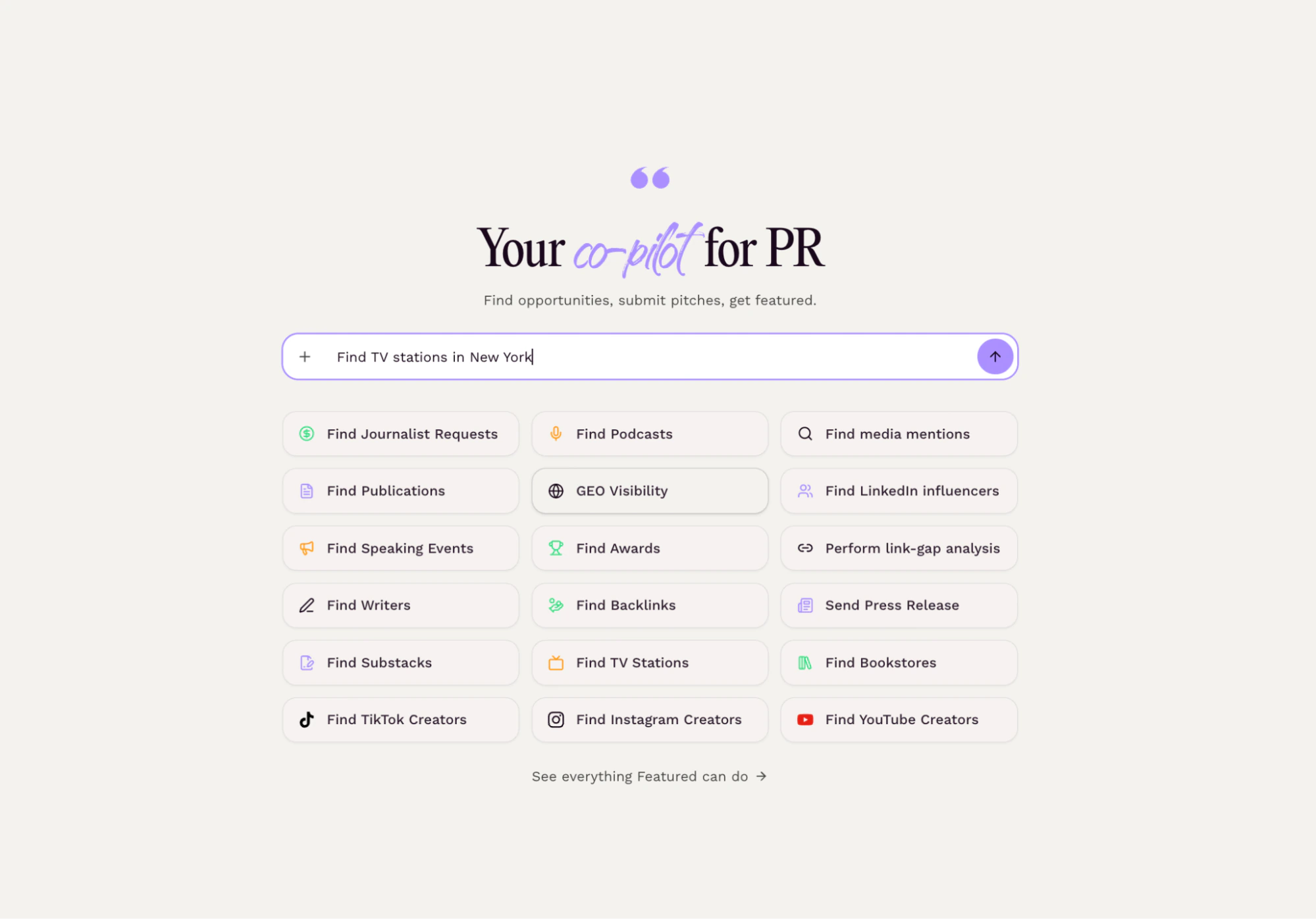
Go to featured.com and type a plain-language request that names a market, a city, a state or a call sign. You do not need special syntax. Requests that work well:
Lead with the place, not the topic; you can add a beat such as housing or high school sports to the request. If the first set of results is too broad, reply with a specific market. Because Find TV Stations works through conversation, you can refine as many times as you like without starting over.
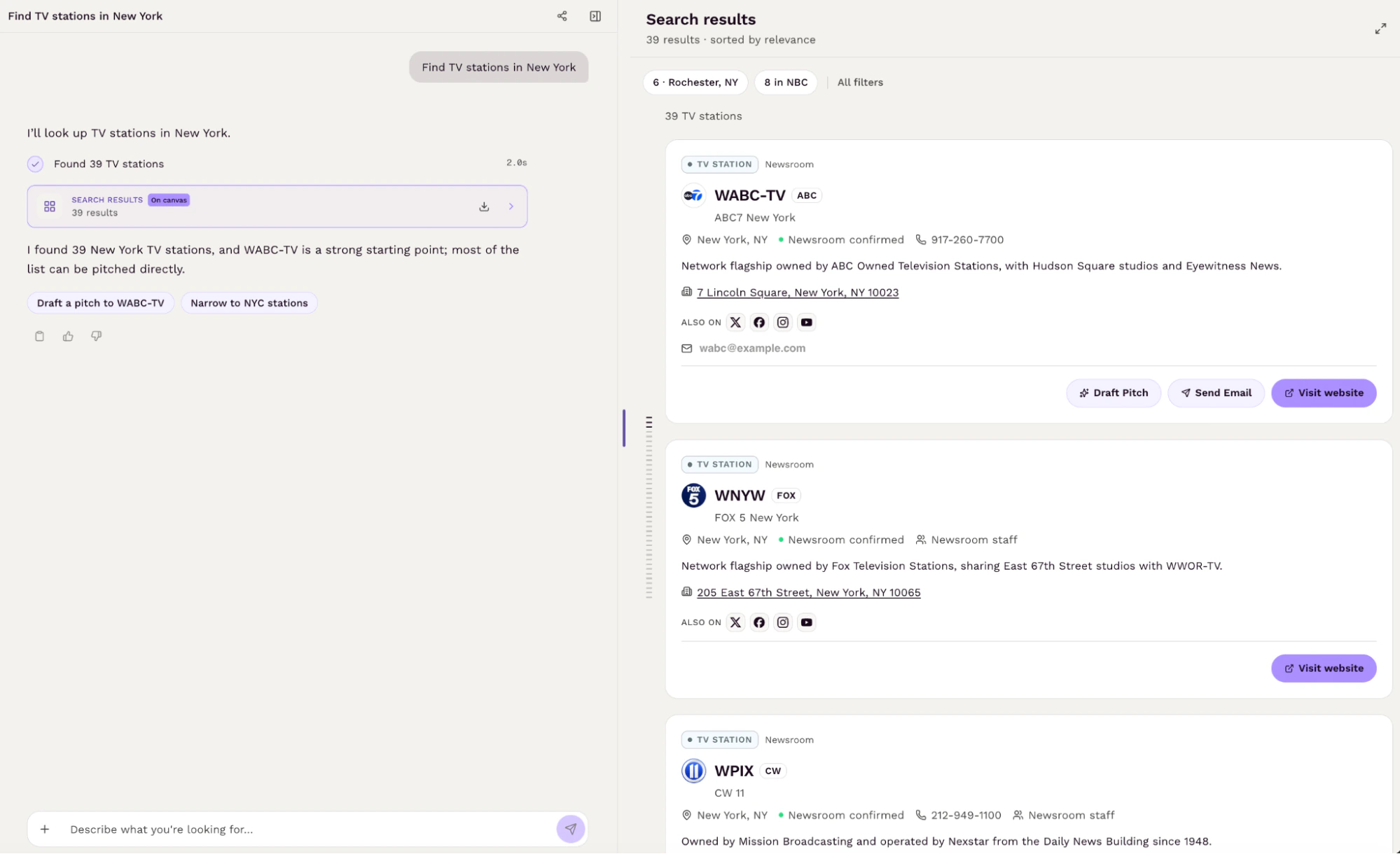
Featured returns a set of station cards. Each card shows the station's call sign, brand and market, and the newsroom details Featured has on file: the news desk email, news desk phone number and tip form, when available. Featured also tells you which stations it can draft a pitch to.
Use the cards to shortlist, then do three things before you pitch anyone:
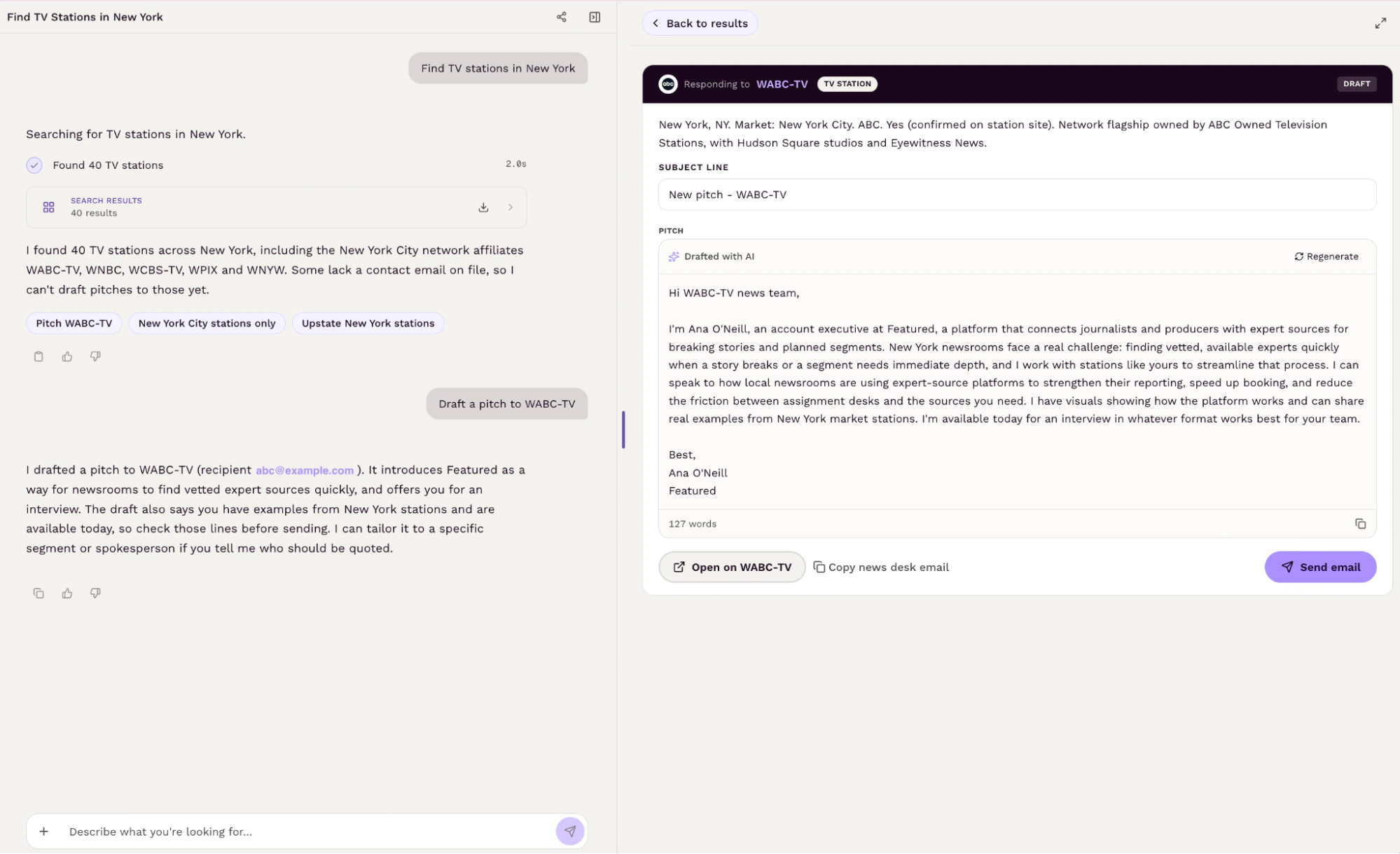
When you have found a station worth pitching, ask Featured to draft the pitch from its card. Featured writes a short broadcast pitch based on the station, which you can review and edit on the same screen. Before you send it, make it a TV story: name the visual (what the camera will see), give a time and a place, say who will be on camera, and mention the market by name.
Keep the finished pitch under 200 words; the 2026 Muck Rack State of Journalism survey found that 69% of journalists prefer pitches that short, 78% want them before noon, and 88% delete pitches that are irrelevant to their coverage.
Then send it to the desk email. If the story is same-day, call the newsroom phone number about an hour after you email; assignment desks plan the day in a morning meeting and work the phones. Otherwise, follow up once by email after three to five days, and then stop.
The best local TV pitches react to a story that is already moving. Set up Featured Newsjacking with your client's beats and city markets, and it flags breaking stories where the client fits. When a story card arrives, open it in chat, ask for the TV stations in the client's market, and draft the pitch to the news desk with the local angle and the person who can be on camera today. Newsjacking is on every plan, including Free.
The whole process fits inside one conversation: name the market, review the station cards, draft the pitch, and send it to the desk. What used to take an afternoon of opening station websites one at a time now takes a few minutes, and the research is reusable the next time a client needs the same market.
A few habits make the results better. Search by market rather than by city when you want full coverage. Add a beat to the request when the story belongs to a specific desk. Lead with the visual, because television needs something to film. And treat the drafted pitch as a starting point, not a finished message.
Go to featured.com and type "Find TV stations in the (your market) market" to see who is covering your area right now. Free to start. No credit card.
Featured's database covers 1,757 U.S. TV stations, with newsroom contacts for 470 of them across 195 TV markets.
State, TV market, city or call sign. You can add a beat such as housing or high school sports to the request.
The station's call sign, brand and market, plus the news desk email, news desk phone number and tip form when Featured has them, and whether Featured can draft a pitch to the station.
Yes. Ask Featured to draft a pitch to the station, then edit it to add the visual, the time and place, and the local angle before sending.
Featured shows the news desk email, phone and tip form when it has them. When a card is blank, check the station's "Contact Us" or "Send a News Tip" page, which usually lists the desk directly.
No. Results are stations, for outreach to the news desk. For individual journalists, ask the chat "find journalists who cover [TOPIC]".
Yes. HARO and Connectively connect sources with journalists who post requests. Find TV Stations lets you search for local TV stations proactively, before they ask.
Ready to try it? Go to featured.com, type the market where your story is local, and pitch the news desk today.
Connecting Experts with Publishers
Connectively connects subject-matter experts with top publishers to increase their exposure and create quality, ready-to-publish Q & A content.
About Connectively →