How to Change Email Address for Featured Account
Is there a way to change the main email address for my Featured account? Yes! Here’s the steps. 1. Go to Account Settings in the upper right dropdown menu and click on “Account Settings” 2. Click on “Change Credentials” 3. Click on “Change Credentials” and input new email address. 4. Log in to your account…

Is there a way to change the main email address for my Featured account?
Yes! Here’s the steps.
1. Go to Account Settings in the upper right dropdown menu and click on “Account Settings”
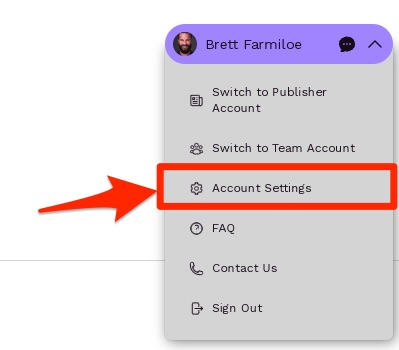
2. Click on “Change Credentials”
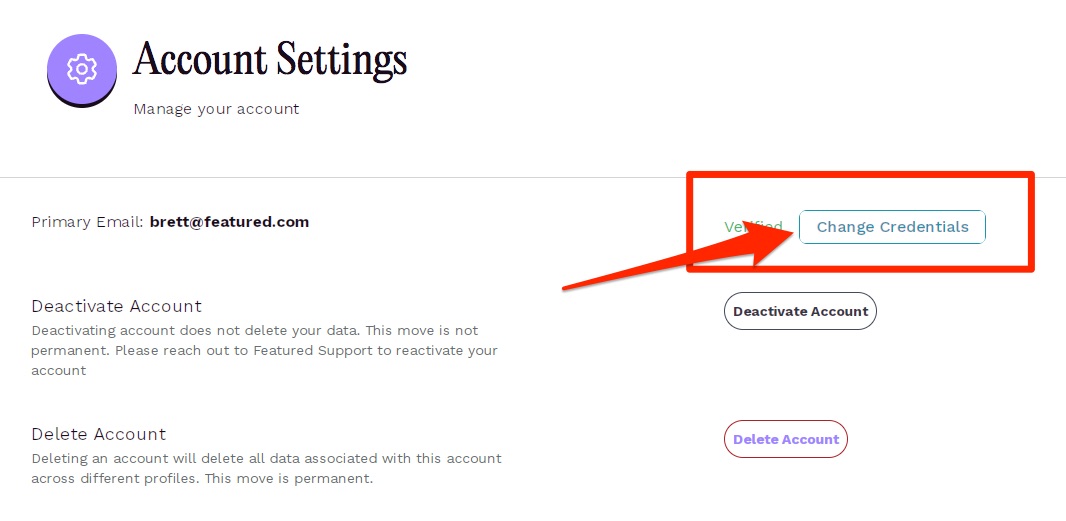
3. Click on “Change Credentials” and input new email address.
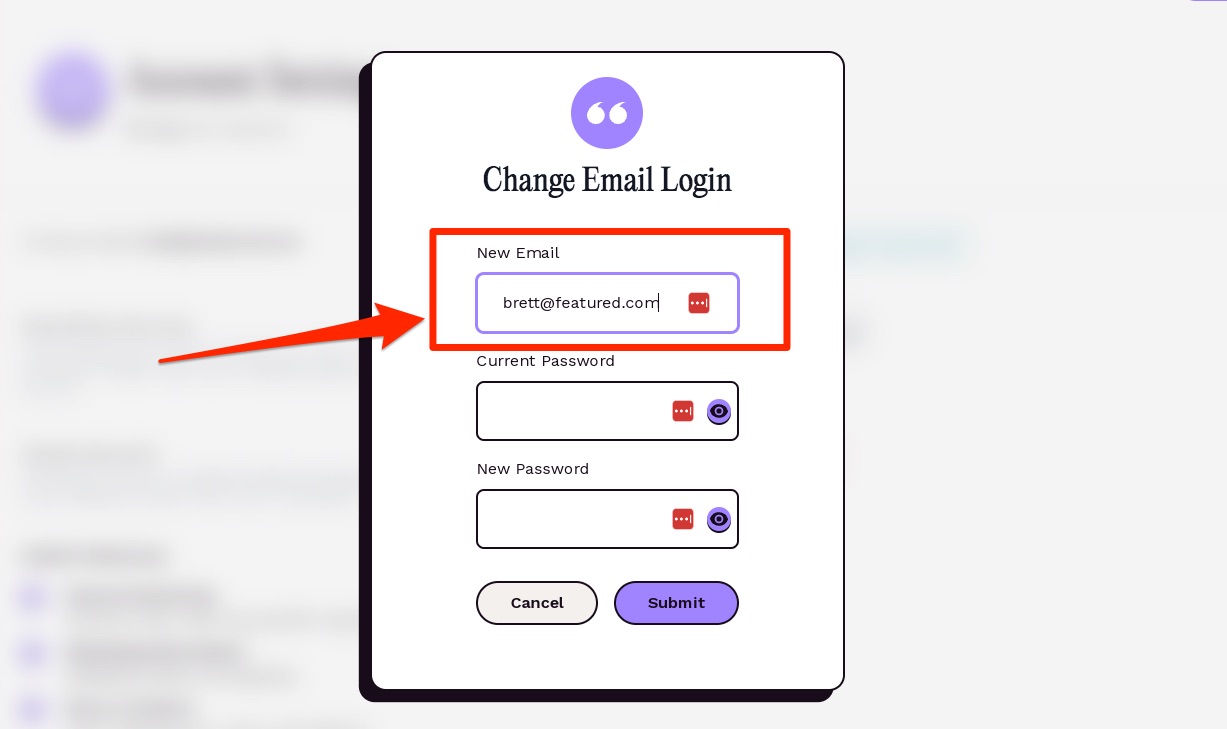
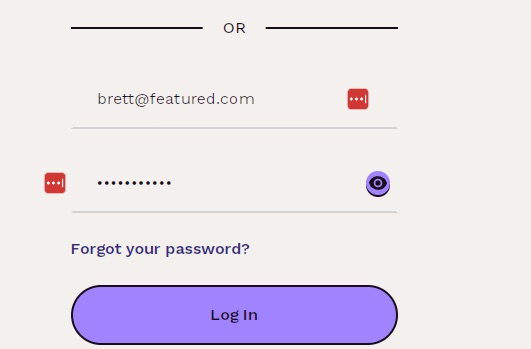
4. Log in to your account with new credentials.
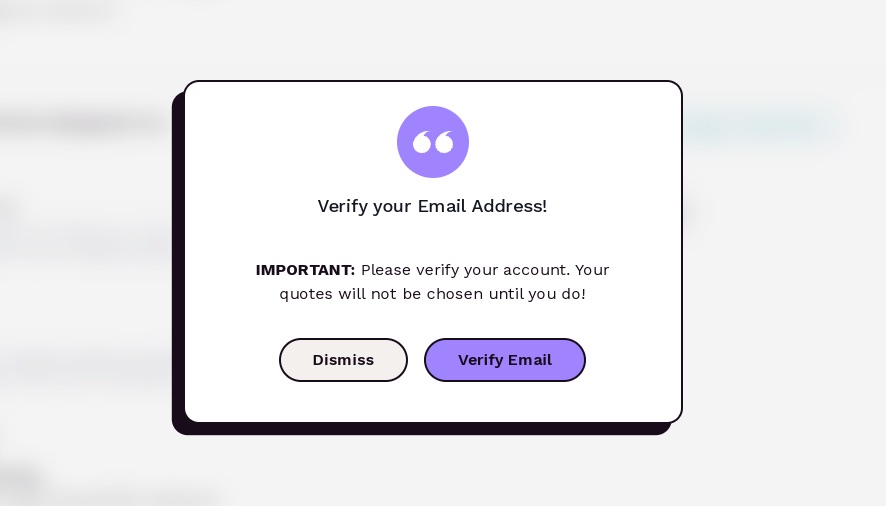
5. Click “Verify Email.”
6. Receive One Time Password (OTP) from your email address
(Check your spam folder if you do not receive this email, or reach out community(at)featured.com for any assistance)
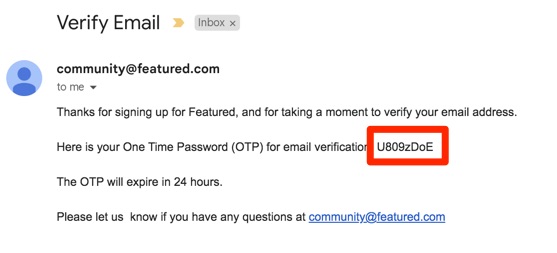
7. Enter One Time Password (OTP) and click “Submit OTP”
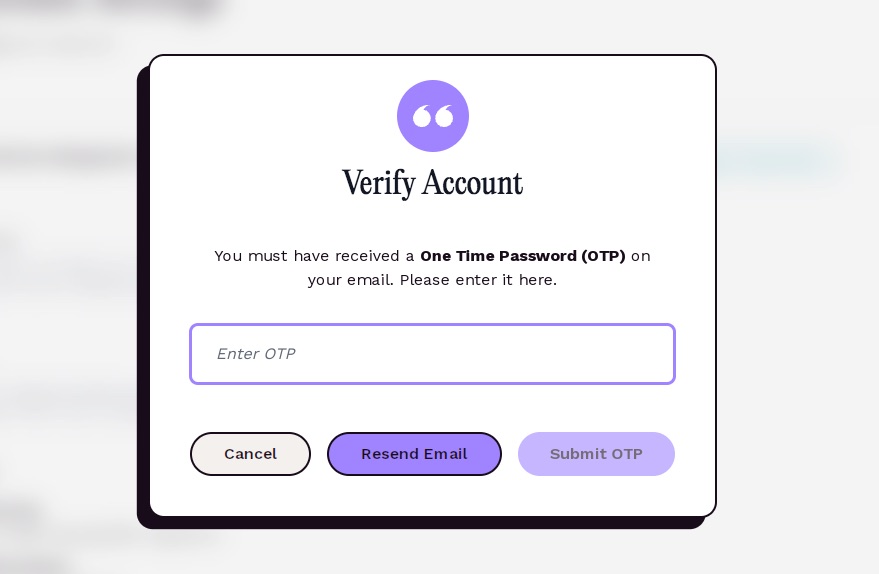
That’s it! If you have any questions, comments, or difficulties, please contact us at community(at)featured.com for support.
Connecting Experts with Publishers
Connectively connects subject-matter experts with top publishers to increase their exposure and create quality, ready-to-publish Q & A content.
About Connectively →Write for us
Have something to say about this beat?
Submit an article or do an interview for Connectively.
Write for us →